Yep, we may get a tiny thank-you (read: commission) when you buy through
links on Gadgetspotr — not enough for a yacht, but enough to keep the lights (and
servers) on.
Learn more
44
Highlights
75
Differences
10
Reactions
0
Likes
Xtool P2
vs
xTool S1 20W:
44 Highlights & 75 Differences —
So, Which Laser Engraver & Cutter Actually Works Better
Learn why P2 is great for heavy-duty and detailed work needing reliability.
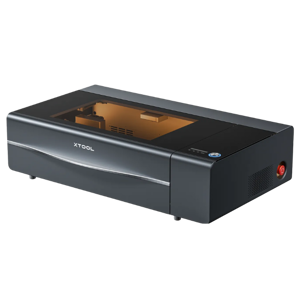
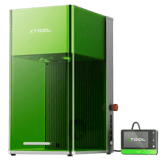
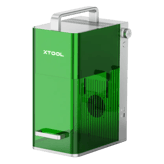
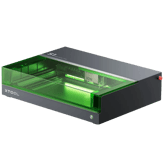
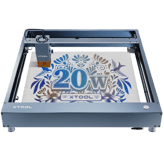
What sets Xtool P2 apart from xTool S1 20W? This laser engravers & cutters face-off compares specs like ceramic engraving, food engraving, emergency stop button & input voltage and beyond.
XTool P2 vs xTool S1 20W: Comparing Two Cutting-Edge Laser Engraving Machines
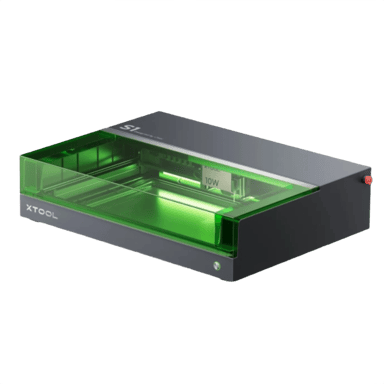
The xTool P2 and the xTool S1 20W are both versatile laser engravers designed for precision cutting and engraving on a variety of materials, including wood, glass, ceramic, and even stone. Both support popular file formats such as SVG, PNG, and PDF, feature autofocus and adjustable focus capabilities, and deliver high beam quality with great engraving detail. However, they cater to different users through contrasting work area sizes, laser power outputs, and operational footprints. The P2 boasts a substantially larger workspace and stronger laser power suited for industrial-scale applications, while the S1 20W delivers portability and energy efficiency perfect for smaller projects or entry-level users.
Power and Precision Unleashed: The Strengths of xTool P2
The xTool P2 stands out thanks to its robust laser module offering 10000 hours of laser lifespan at zero modulation frequency, favoring steady high-power output. Its resolution of 1000 DPI pairs with impressive repeatability of 0.001 mm, and it supports extremely fine line thickness down to 0.006 mm. The large work area with removable honeycomb bed and magnetic clamps lets users handle considerably bigger pieces, including materials up to 9.8 cm thick with risers. Such capabilities make it ideal for serious professionals or businesses that demand consistent accuracy and industrial-grade durability.
Safety is another strong suit in the P2; it's equipped with a comprehensive suite of sensors, enclosure protection, and an emergency stop button for peace of mind during longer and more complex jobs. Additionally, its 4.3-inch touchscreen interface supports multiple languages, providing a user-friendly control experience. For workflow enhancement, the P2 supports advanced features like edge detection, layer color mapping, and job repeat functionality, allowing efficient batch processing and precision alignment.
The machine's sizeable power draw of 1000W is supported by an internal power supply with 85% efficiency, befitting heavy-duty industrial tasks. Coupled with an expected lifespan of 30000 hours and extensive spare parts availability, the xTool P2 promises longevity and dependable performance across years of intensive use.
Compact and Efficient: A Closer Look at xTool S1 20W
The xTool S1 20W takes a very different approach by offering a much smaller physical footprint and lower power consumption at 200W, ideal for hobbyists or users with limited workspace. Its laser module boasts an exceptionally high modulation frequency of 20000 Hz, which can allow for faster engraving on detailed designs, albeit with less raw power than the P2.
Precision-wise, the S1 20W features a slightly better repeatability of 0.0008 mm and supports finer line thickness down to 0.0039 mm. However, it trades off on its smaller maximum material height capacity of around 5.26 cm, which suits it better for smaller crafts or less bulky materials.
While the S1 does not feature edge detection like the P2, it still offers solid software support, including mobile app integration and proprietary software compatibility, plus cloud storage for easy file access. It supports a similar range of materials, including wood, ceramic, and food-grade engraving materials, making it versatile enough for varied creative or professional applications.
Another advantage lies in quieter operation, with noise levels around 60 dB and medium ventilation needs suitable for home studios or smaller workshops. The machine is also easier to maintain thanks to a steel core belt and standard spare part availability. Its longer detailed laser lifespan of 32400 hours at its operating power further enhances the cost-effectiveness of the device.
Quick Take
The xTool P2 shines with its expansive work area, industrial power, and robust safety and software features, making it an excellent fit for demanding professional tasks. The xTool S1 20W impresses with its compact design, energy efficiency, and high modulation frequency, appealing to hobbyists and small business owners looking for portability and fine detail engraving at a friendly price.
Bottom Line Recommendation
For those prioritizing large-scale projects and unmatched precision with extended durability, the xTool P2 is the superior choice. Conversely, the xTool S1 20W suits users who need a more compact, affordable solution with efficient power usage and impressive speed for moderate engraving tasks.
Verdict
Winner: xTool P2 - Dominates with a larger workspace, higher laser power, exceptional precision, and comprehensive safety and workflow features, making it perfect for professional and industrial-grade applications.
Runner-up: xTool S1 20W - Offers excellent value with a compact footprint, energy-saving design, and superior modulation frequency, catering well to hobbyists and smaller-scale users.
Side by side. The numbers. The features. No drama.
From feature sets to real-life wins and flaws, this laser engravers & cutters comparison between Xtool P2 and xTool S1 20W helps you cut through the noise.
Product Xtool P2 has a Machine Height of 10.55 inches compared to 7.2 inches for Product xTool S1 20W, showing the Xtool P2 is taller and may require more vertical clearance.
Total height of the machine.
In the battle of Machine Height,
Xtool P2 ◉ is
worse than
xTool S1 20W ◉
, delivering
higher
3.4 inch
measurement.
Don’t keep it to yourself — be the first to react and review the
Machine Height on Xtool P2 ◉
vs xTool S1 20W ◉ and help others decide!
The Machine Depth is 25.16 inches for the Product Xtool P2 and 16.5 inches for Product xTool S1 20W, indicating the Xtool P2 has a deeper footprint which may affect space requirements.
Depth of the machine footprint.
In the battle of Machine Depth,
Xtool P2 ◉ is
worse than
xTool S1 20W ◉
, delivering
higher
8.7 inch
measurement.
Based on community votes for Machine Depth,
Xtool P2 ◉ earned
0 votes,
less than
xTool S1 20W ◉,
which got 1 votes.
The Machine Width for Product Xtool P2 is 39.37 inches, while for Product xTool S1 20W it is 20.2 inches, making the Xtool P2 significantly wider, suitable for larger workspace needs.
Width of the machine footprint.
In the battle of Machine Width,
Xtool P2 ◉ is
worse than
xTool S1 20W ◉
, delivering
higher
19.2 inch
measurement.
Don’t keep it to yourself — be the first to react and review the
Machine Width on Xtool P2 ◉
vs xTool S1 20W ◉ and help others decide!
Control Method
What is the control method?
0
Xtool P2
0Votes
Software, Mobile App, Offline
0
xTool S1 20W
0Votes
Software
vs
Control Method
Product Xtool P2 offers Control Methods via Software, Mobile App, and Offline, compared to only Software control on Product xTool S1 20W, making the Xtool P2 more flexible in control options.
Defines how the user operates the machine.
In the battle of Control Method,
Xtool P2 ◉ is
same as
xTool S1 20W ◉
.
Don’t keep it to yourself — be the first to react and review the
Control Method on Xtool P2 ◉
vs xTool S1 20W ◉ and help others decide!
Product Type
What is the product type?
0
Xtool P2
0Votes
Laser Engraver Cutter
0
xTool S1 20W
0Votes
Laser Engraver Cutter
Xtool P2
This device functions as a Laser Engraver Cutter, indicating its capability to both engrave intricate designs and cut through materials, offering versatile creative and industrial applications.
Defines the category of the machine.
In the battle of Product Type,
Xtool P2 ◉ is
same as
xTool S1 20W ◉
.
Don’t keep it to yourself — be the first to react and review the
Product Type on Xtool P2 ◉
vs xTool S1 20W ◉ and help others decide!
Supported Operating Systems
Which operating systems are supported?
0
Xtool P2
1Votes
Windows, macOS, Linux
0
xTool S1 20W
0Votes
Windows, macOS
vs
Supported Operating Systems
Supported Operating Systems include Windows, macOS, and Linux for Product Xtool P2, whereas Product xTool S1 20W supports only Windows and macOS, making the Xtool P2 more versatile in OS compatibility.
Indicates OS compatibility for controlling software.
In the battle of Supported Operating Systems,
Xtool P2 ◉ is
same as
xTool S1 20W ◉
.
Based on community votes for Supported Operating Systems,
Xtool P2 ◉ earned
1 votes,
more than
xTool S1 20W ◉,
which got 0 votes.
Modulation Frequency of Product Xtool P2 is 0 Hz, whereas for Product xTool S1 20W it is 20000 Hz, with the xTool S1 20W offering advanced modulation potentially for finer control.
Defines how fast the laser can pulse for engraving detail.
In the battle of Modulation Frequency,
Xtool P2 ◉ is
same as
xTool S1 20W ◉
.
Don’t keep it to yourself — be the first to react and review the
Modulation Frequency on Xtool P2 ◉
vs xTool S1 20W ◉ and help others decide!
Laser Classification
What is the laser classification?
0
Xtool P2
0Votes
Class 1
0
xTool S1 20W
0Votes
Class 4
Xtool P2
The laser is classified as Class 1, meaning it is safe under all conditions of normal use because the laser radiation is contained or too low to be hazardous, adhering to strict safety standards.
xTool S1 20W
The laser is classified as Class 4, indicating it is powerful and requires safety precautions during operation.
Users should follow safety protocols to avoid potential risks.
Indicates safety classification based on laser standards.
In the battle of Laser Classification,
Xtool P2 ◉ is
same as
xTool S1 20W ◉
.
Don’t keep it to yourself — be the first to react and review the
Laser Classification on Xtool P2 ◉
vs xTool S1 20W ◉ and help others decide!
Laser Spot Size
What is the laser spot size?
0
Xtool P2
0Votes
0.006 x 0.008
0
xTool S1 20W
0Votes
0.08 x 0.06 mm
Xtool P2
The laser spot size measures 0.006 x 0.008 inch (0.015 x 0.020 cm), indicating a very fine and precise laser beam for detailed engraving and cutting. This small spot size contributes to high-resolution results.
xTool S1 20W
The laser spot size is 0.08 x 0.06 mm, providing high-definition engraving and cutting capabilities.
This precision is crucial for detailed works.
Defines the diameter of the focused laser spot.
In the battle of Laser Spot Size,
Xtool P2 ◉ is
same as
xTool S1 20W ◉
.
Don’t keep it to yourself — be the first to react and review the
Laser Spot Size on Xtool P2 ◉
vs xTool S1 20W ◉ and help others decide!
Laser Power Optical
What is the optical laser power?
100
Watt
0Votes
20
Watt
0Votes
Xtool P2
The optical laser power is 100 Watt, delivering significant energy for efficient cutting and engraving of various materials.
The actual cutting/engraving power delivered to materials.
In the battle of Laser Power Optical,
Xtool P2 ◉ is
better than
xTool S1 20W ◉
, delivering
higher
80.0 Watt
measurement.
Don’t keep it to yourself — be the first to react and review the
Laser Power Optical on Xtool P2 ◉
vs xTool S1 20W ◉ and help others decide!
Laser Focal Length
What is the focal length?
1.97
inch
0Votes
1.97
inch
0Votes
Xtool P2
The laser focal length is 1.97 inch (5.00 cm), which is a critical parameter for achieving optimal engraving and cutting results. This defines the ideal distance between the laser head and the material surface for the sharpest beam.
Distance from lens to optimal focus point.
In the battle of Laser Focal Length,
Xtool P2 ◉ is
same as
xTool S1 20W ◉
, delivering
equal
1.97 inch
measurement.
Don’t keep it to yourself — be the first to react and review the
Laser Focal Length on Xtool P2 ◉
vs xTool S1 20W ◉ and help others decide!
Laser Cooling Method
What is the cooling method?
0
Xtool P2
0Votes
Water Cooling
0
xTool S1 20W
0Votes
Air Cooling
Xtool P2
The laser unit utilizes a Water Cooling method, which is highly effective for maintaining optimal operating temperatures and extending the lifespan of the laser tube, especially for high-power CO2 lasers.
Defines how the laser dissipates heat.
In the battle of Laser Cooling Method,
Xtool P2 ◉ is
same as
xTool S1 20W ◉
.
Don’t keep it to yourself — be the first to react and review the
Laser Cooling Method on Xtool P2 ◉
vs xTool S1 20W ◉ and help others decide!
Laser Wavelength
What is the laser wavelength?
10,600
nm
0Votes
455
nm
0Votes
Defines the wavelength of the emitted laser light.
In the battle of Laser Wavelength,
Xtool P2 ◉ is
better than
xTool S1 20W ◉
, delivering
higher
10,145.0 nm
measurement.
Don’t keep it to yourself — be the first to react and review the
Laser Wavelength on Xtool P2 ◉
vs xTool S1 20W ◉ and help others decide!
Laser Power Electrical Input
What is the electrical input power?
1,000
Watt
0Votes
200
Watt
0Votes
Electrical input power needed to drive the laser.
In the battle of Laser Power Electrical Input,
Xtool P2 ◉ is
better than
xTool S1 20W ◉
, delivering
higher
800.0 Watt
measurement.
Don’t keep it to yourself — be the first to react and review the
Laser Power Electrical Input on Xtool P2 ◉
vs xTool S1 20W ◉ and help others decide!
Laser Lifespan
What is the laser lifespan?
10,000
hours
0Votes
32,400
hours
0Votes
vs
Laser Lifespan
Laser Lifespan is 10000 hours for Product Xtool P2 and significantly longer at 32400 hours for Product xTool S1 20W, favoring the xTool S1 20W for longevity.
Expected operational hours before degradation.
In the battle of Laser Lifespan,
Xtool P2 ◉ is
worse than
xTool S1 20W ◉
, delivering
lower
22,400.0 hours
measurement.
Don’t keep it to yourself — be the first to react and review the
Laser Lifespan on Xtool P2 ◉
vs xTool S1 20W ◉ and help others decide!
Laser Replaceability
Is the laser replaceable?
Yes
0Votes
Xtool P2
Yes
0Votes
xTool S1 20W
Indicates whether the laser module can be replaced.
In the battle of Laser Replaceability,
Xtool P2 ◉ is
same as
xTool S1 20W ◉
.
Don’t keep it to yourself — be the first to react and review the
Laser Replaceability on Xtool P2 ◉
vs xTool S1 20W ◉ and help others decide!
Laser Upgrade Compatibility
Is the laser upgrade-compatible?
No
0Votes
Xtool P2
Yes
0Votes
xTool S1 20W
Allows upgrading to higher-power modules.
In the battle of Laser Upgrade Compatibility,
Xtool P2 ◉ is
worse than
xTool S1 20W ◉
.
Don’t keep it to yourself — be the first to react and review the
Laser Upgrade Compatibility on Xtool P2 ◉
vs xTool S1 20W ◉ and help others decide!
Positioning Accuracy on Product Xtool P2 is 0.001 inches, more accurate than 0.01 inches on Product xTool S1 20W, which favors the Xtool P2 for precise positioning tasks.
Defines how close the system can position the laser head to exact coordinates.
In the battle of Positioning Accuracy,
Xtool P2 ◉ is
worse than
xTool S1 20W ◉
, delivering
equal
0.00 inch
measurement.
Don’t keep it to yourself — be the first to react and review the
Positioning Accuracy on Xtool P2 ◉
vs xTool S1 20W ◉ and help others decide!
Supported Line Thickness on Product xTool S1 20W is 0.0039 inches, thinner than 0.006 inches on Product Xtool P2, favoring the xTool S1 20W for finer detail work.
Minimum and maximum thickness of engraved lines.
In the battle of Supported Line Thickness,
Xtool P2 ◉ is
worse than
xTool S1 20W ◉
, delivering
equal
0.01 inch
measurement.
Don’t keep it to yourself — be the first to react and review the
Supported Line Thickness on Xtool P2 ◉
vs xTool S1 20W ◉ and help others decide!
Maximum Engraving Speed
What is the maximum engraving speed?
23.62
inch
0Votes
23.62
inch
0Votes
xTool S1 20W
The maximum engraving speed is 23.622 inches, allowing for efficient processing of large files.
This speed optimizes production times while maintaining quality.
The fastest speed at which the machine can engrave.
In the battle of Maximum Engraving Speed,
Xtool P2 ◉ is
worse than
xTool S1 20W ◉
, delivering
equal
23.62 inch
measurement.
Don’t keep it to yourself — be the first to react and review the
Maximum Engraving Speed on Xtool P2 ◉
vs xTool S1 20W ◉ and help others decide!
Maximum Cutting Depth Metal Assisted
What is the maximum assisted metal cutting depth?
0.04
inch
0Votes
0
inch
0Votes
Xtool P2
With assistance, the maximum cutting depth for metal is 0.04 inch (0.10 cm), indicating its capability for light metal processing when properly assisted.
Depth of metal cutting with external assistance (air/oxygen).
In the battle of Maximum Cutting Depth Metal Assisted,
Xtool P2 ◉ is
better than
xTool S1 20W ◉
, delivering
equal
0.04 inch
measurement.
Don’t keep it to yourself — be the first to react and review the
Maximum Cutting Depth Metal Assisted on Xtool P2 ◉
vs xTool S1 20W ◉ and help others decide!
Engraving Precision
What is the engraving precision?
0
inch
0Votes
0.08
inch
0Votes
xTool S1 20W
Engraving precision is set at 0.08 inches, allowing for detailed artwork and engravings.
This high level of precision is ideal for intricate designs.
Refers to the smallest detectable engraving detail.
In the battle of Engraving Precision,
Xtool P2 ◉ is
worse than
xTool S1 20W ◉
, delivering
lower
0.1 inch
measurement.
Don’t keep it to yourself — be the first to react and review the
Engraving Precision on Xtool P2 ◉
vs xTool S1 20W ◉ and help others decide!
Pass Through Operation
Does it support pass-through operation?
Yes
0Votes
Xtool P2
Yes
0Votes
xTool S1 20W
vs
Pass Through Operation
Pass Through Operation is available on both Product Xtool P2 and Product xTool S1 20W, supporting processing of large materials continuously.
Allows long materials to pass through the machine for oversized work.
In the battle of Pass Through Operation,
Xtool P2 ◉ is
same as
xTool S1 20W ◉
.
Don’t keep it to yourself — be the first to react and review the
Pass Through Operation on Xtool P2 ◉
vs xTool S1 20W ◉ and help others decide!
Tilt Detection
Does it include tilt detection?
No
0Votes
Xtool P2
Yes
0Votes
xTool S1 20W
xTool S1 20W
Tilt detection is supported, allowing the machine to adjust for any undesired angle during operation.
This feature helps maintain high precision in tasks.
Detects tilting or instability to prevent accidents.
In the battle of Tilt Detection,
Xtool P2 ◉ is
worse than
xTool S1 20W ◉
.
Don’t keep it to yourself — be the first to react and review the
Tilt Detection on Xtool P2 ◉
vs xTool S1 20W ◉ and help others decide!
Repeatability
What is the repeatability value?
0
inch
0Votes
0
inch
1Votes
vs
Repeatability
Repeatability is more precise on Product xTool S1 20W at 0.0008 inches compared to 0.001 inches on Product Xtool P2, benefiting users needing higher precision.
Consistency of repeated movements to the same location.
In the battle of Repeatability,
Xtool P2 ◉ is
better than
xTool S1 20W ◉
, delivering
equal
0.00 inch
measurement.
Based on community votes for Repeatability,
Xtool P2 ◉ earned
0 votes,
less than
xTool S1 20W ◉,
which got 1 votes.
Max Material Height With Riser is higher for Product Xtool P2 at 9.8 inches compared to 5.26 inches for Product xTool S1 20W, enhancing the P2's capability for taller materials with riser.
Maximum material height supported when a riser is installed.
In the battle of Max Material Height With Riser,
Xtool P2 ◉ is
better than
xTool S1 20W ◉
, delivering
higher
4.5 inch
measurement.
Don’t keep it to yourself — be the first to react and review the
Max Material Height With Riser on Xtool P2 ◉
vs xTool S1 20W ◉ and help others decide!
Both Product Xtool P2 and Product xTool S1 20W include a Removable Base, enabling easier cleaning and versatility in material handling.
Allows the bottom panel to be removed for large or tall objects.
In the battle of Removable Base,
Xtool P2 ◉ is
same as
xTool S1 20W ◉
.
Don’t keep it to yourself — be the first to react and review the
Removable Base on Xtool P2 ◉
vs xTool S1 20W ◉ and help others decide!
Max Material Height Without Riser
What is the max material height without riser?
2.5
inch
0Votes
1.65
inch
0Votes
vs
Max Material Height Without Riser
Max Material Height Without Riser is 2.5 inches on Product Xtool P2 and 1.654 inches on Product xTool S1 20W, allowing the Xtool P2 to handle thicker materials without riser.
Maximum object height supported on the base level.
In the battle of Max Material Height Without Riser,
Xtool P2 ◉ is
better than
xTool S1 20W ◉
, delivering
higher
0.8 inch
measurement.
Don’t keep it to yourself — be the first to react and review the
Max Material Height Without Riser on Xtool P2 ◉
vs xTool S1 20W ◉ and help others decide!
Work Style
What is the work style?
0
Xtool P2
0Votes
Enclosed
0
xTool S1 20W
0Votes
Enclosed
xTool S1 20W
The work style is categorized as Enclosed, which helps contain fumes and enhances safety during operation.
Enclosures can also improve acoustic performance.
Indicates whether the device operates in open air or inside a chamber.
In the battle of Work Style,
Xtool P2 ◉ is
same as
xTool S1 20W ◉
.
Don’t keep it to yourself — be the first to react and review the
Work Style on Xtool P2 ◉
vs xTool S1 20W ◉ and help others decide!
Work Area Width
What is the work area width?
23.62
inch
0Votes
19.6
inch
0Votes
xTool S1 20W
The work area width is 19.6 inches, which allows for ample space for various engraving projects.
This size is suitable for a range of material dimensions.
The usable horizontal workspace width.
In the battle of Work Area Width,
Xtool P2 ◉ is
better than
xTool S1 20W ◉
, delivering
higher
4.0 inch
measurement.
Don’t keep it to yourself — be the first to react and review the
Work Area Width on Xtool P2 ◉
vs xTool S1 20W ◉ and help others decide!
Work Area Depth
What is the work area depth?
12.13
inch
0Votes
13
inch
0Votes
xTool S1 20W
The work area depth is 13 inches, enabling a wide range of projects and material sizes to be accommodated.
This depth supports both small and larger items for engraving.
The usable horizontal workspace depth.
In the battle of Work Area Depth,
Xtool P2 ◉ is
worse than
xTool S1 20W ◉
, delivering
lower
0.9 inch
measurement.
Don’t keep it to yourself — be the first to react and review the
Work Area Depth on Xtool P2 ◉
vs xTool S1 20W ◉ and help others decide!
Bed Leveling Method
What is the bed leveling method?
0
Xtool P2
0Votes
Assisted
0
xTool S1 20W
0Votes
Manual
Xtool P2
The bed leveling method is Assisted, providing guidance to the user for precise bed height adjustment, which is crucial for uniform engraving and cutting quality.
Shows how the work bed is leveled for consistency.
In the battle of Bed Leveling Method,
Xtool P2 ◉ is
same as
xTool S1 20W ◉
.
Don’t keep it to yourself — be the first to react and review the
Bed Leveling Method on Xtool P2 ◉
vs xTool S1 20W ◉ and help others decide!
Work Area Height Clearance
What is the height clearance?
2.5
inch
0Votes
1.6
inch
0Votes
Maximum allowable material height under the laser.
In the battle of Work Area Height Clearance,
Xtool P2 ◉ is
better than
xTool S1 20W ◉
, delivering
higher
0.9 inch
measurement.
Don’t keep it to yourself — be the first to react and review the
Work Area Height Clearance on Xtool P2 ◉
vs xTool S1 20W ◉ and help others decide!
Expandable Work Area
Is the work area expandable?
Yes
0Votes
Xtool P2
Yes
0Votes
xTool S1 20W
Indicates if the workspace can be expanded with extensions.
In the battle of Expandable Work Area,
Xtool P2 ◉ is
same as
xTool S1 20W ◉
.
Don’t keep it to yourself — be the first to react and review the
Expandable Work Area on Xtool P2 ◉
vs xTool S1 20W ◉ and help others decide!
Rotary Engraving
Does it support rotary engraving?
Yes
0Votes
Xtool P2
Yes
0Votes
xTool S1 20W
Indicates support for rotary modules for cylindrical engraving.
In the battle of Rotary Engraving,
Xtool P2 ◉ is
same as
xTool S1 20W ◉
.
Don’t keep it to yourself — be the first to react and review the
Rotary Engraving on Xtool P2 ◉
vs xTool S1 20W ◉ and help others decide!
Work Surface Type
What is the work surface type?
0
Xtool P2
0Votes
Mesh
0
xTool S1 20W
0Votes
Honeycomb
Describes the type of workspace material sits on.
In the battle of Work Surface Type,
Xtool P2 ◉ is
same as
xTool S1 20W ◉
.
Don’t keep it to yourself — be the first to react and review the
Work Surface Type on Xtool P2 ◉
vs xTool S1 20W ◉ and help others decide!
Clamping Hold Down System
What clamping system is used?
0
Xtool P2
0Votes
Magnetic Clamps
0
xTool S1 20W
0Votes
Magnetic Clamps
vs
Clamping Hold Down System
Both Product Xtool P2 and Product xTool S1 20W use Magnetic Clamps for the Clamping Hold Down System, providing consistent material security.
Method used to secure materials during cutting.
In the battle of Clamping Hold Down System,
Xtool P2 ◉ is
same as
xTool S1 20W ◉
.
Don’t keep it to yourself — be the first to react and review the
Clamping Hold Down System on Xtool P2 ◉
vs xTool S1 20W ◉ and help others decide!
Grid Marking Reference
Does it have grid markings?
Yes
0Votes
Xtool P2
Yes
0Votes
xTool S1 20W
Indicates whether the workspace has grid lines for alignment.
In the battle of Grid Marking Reference,
Xtool P2 ◉ is
same as
xTool S1 20W ◉
.
Don’t keep it to yourself — be the first to react and review the
Grid Marking Reference on Xtool P2 ◉
vs xTool S1 20W ◉ and help others decide!
Material Pass Through Size
What is the material pass-through size?
Who knows?
0Votes
Xtool P2
(Help us out by suggesting one!)
12
inch
0Votes
Maximum thickness of material that can pass through if supported.
Don’t keep it to yourself — be the first to react and review the
Material Pass Through Size on Xtool P2 ◉
vs xTool S1 20W ◉ and help others decide!
Wood Engraving Capability is confirmed on both Product Xtool P2 and Product xTool S1 20W, making both appropriate for woodwork projects.
Ability to engrave various types of wood.
In the battle of Wood Engraving Capability,
Xtool P2 ◉ is
same as
xTool S1 20W ◉
.
Don’t keep it to yourself — be the first to react and review the
Wood Engraving Capability on Xtool P2 ◉
vs xTool S1 20W ◉ and help others decide!
Acrylic Cutting
Can it cut acrylic?
Yes
0Votes
Xtool P2
Yes
0Votes
xTool S1 20W
Xtool P2
The engraver is capable of cutting acrylic materials, making it suitable for a wide range of creative and professional projects involving plastic fabrication.
xTool S1 20W
This model supports acrylic cutting, enabling users to create customized acrylic items and designs.
The ability to cut acrylic extends the creative possibilities for users.
Ability to cut acrylic sheets.
In the battle of Acrylic Cutting,
Xtool P2 ◉ is
same as
xTool S1 20W ◉
.
Don’t keep it to yourself — be the first to react and review the
Acrylic Cutting on Xtool P2 ◉
vs xTool S1 20W ◉ and help others decide!
Material Thickness Limit
What is the maximum material thickness limit?
0.79
inch
0Votes
1.6
inch
0Votes
Xtool P2
The material thickness limit is 0.79 inch (2.01 cm), which determines the maximum thickness of material that the laser can effectively cut or engrave.
Maximum thickness of material the machine can handle.
In the battle of Material Thickness Limit,
Xtool P2 ◉ is
worse than
xTool S1 20W ◉
, delivering
lower
0.8 inch
measurement.
Don’t keep it to yourself — be the first to react and review the
Material Thickness Limit on Xtool P2 ◉
vs xTool S1 20W ◉ and help others decide!
Wood Cutting Capability
Can it cut wood?
Yes
0Votes
Xtool P2
Yes
0Votes
xTool S1 20W
xTool S1 20W
Wood cutting capability is included, allowing users to engrave and cut wood materials seamlessly.
This expands the range of projects that can be completed with the machine.
Ability to cut through wood materials.
In the battle of Wood Cutting Capability,
Xtool P2 ◉ is
same as
xTool S1 20W ◉
.
Don’t keep it to yourself — be the first to react and review the
Wood Cutting Capability on Xtool P2 ◉
vs xTool S1 20W ◉ and help others decide!
Acrylic Engraving
Can it engrave acrylic?
Yes
0Votes
Xtool P2
Yes
0Votes
xTool S1 20W
xTool S1 20W
Acrylic engraving is fully supported, allowing for high-quality markings and designs on acrylic materials.
This feature is perfect for creating custom acrylic signs and objects.
Ability to engrave acrylic surfaces.
In the battle of Acrylic Engraving,
Xtool P2 ◉ is
same as
xTool S1 20W ◉
.
Don’t keep it to yourself — be the first to react and review the
Acrylic Engraving on Xtool P2 ◉
vs xTool S1 20W ◉ and help others decide!
Fabric Cutting
Can it cut fabric?
Yes
0Votes
Xtool P2
Yes
0Votes
xTool S1 20W
xTool S1 20W
This machine supports fabric cutting, perfect for crafting and design work with textiles.
This capability enlarges the versatility of projects that can be accomplished.
Ability to cut textile materials.
In the battle of Fabric Cutting,
Xtool P2 ◉ is
same as
xTool S1 20W ◉
.
Don’t keep it to yourself — be the first to react and review the
Fabric Cutting on Xtool P2 ◉
vs xTool S1 20W ◉ and help others decide!
Leather Engraving
Can it engrave leather?
Yes
0Votes
Xtool P2
Yes
0Votes
xTool S1 20W
Ability to engrave leather materials.
In the battle of Leather Engraving,
Xtool P2 ◉ is
same as
xTool S1 20W ◉
.
Don’t keep it to yourself — be the first to react and review the
Leather Engraving on Xtool P2 ◉
vs xTool S1 20W ◉ and help others decide!
Leather Cutting
Can it cut leather?
Yes
0Votes
Xtool P2
Yes
0Votes
xTool S1 20W
Ability to cut leather materials.
In the battle of Leather Cutting,
Xtool P2 ◉ is
same as
xTool S1 20W ◉
.
Don’t keep it to yourself — be the first to react and review the
Leather Cutting on Xtool P2 ◉
vs xTool S1 20W ◉ and help others decide!
Fabric Engraving
Can it engrave fabric?
Yes
0Votes
Xtool P2
Yes
0Votes
xTool S1 20W
Ability to engrave textiles.
In the battle of Fabric Engraving,
Xtool P2 ◉ is
same as
xTool S1 20W ◉
.
Don’t keep it to yourself — be the first to react and review the
Fabric Engraving on Xtool P2 ◉
vs xTool S1 20W ◉ and help others decide!
Metal Engraving Bare
Can it engrave bare metal?
No
0Votes
Xtool P2
Yes
0Votes
xTool S1 20W
Ability to engrave untreated/bare metal.
In the battle of Metal Engraving Bare,
Xtool P2 ◉ is
worse than
xTool S1 20W ◉
.
Don’t keep it to yourself — be the first to react and review the
Metal Engraving Bare on Xtool P2 ◉
vs xTool S1 20W ◉ and help others decide!
Metal Engraving Coated Anodized
Can it engrave coated or anodized metal?
Yes
0Votes
Xtool P2
Yes
0Votes
xTool S1 20W
Ability to engrave coated or anodized metals.
In the battle of Metal Engraving Coated Anodized,
Xtool P2 ◉ is
same as
xTool S1 20W ◉
.
Don’t keep it to yourself — be the first to react and review the
Metal Engraving Coated Anodized on Xtool P2 ◉
vs xTool S1 20W ◉ and help others decide!
Metal Cutting Assisted
Can it cut metal with assistance?
No
0Votes
Xtool P2
Yes
0Votes
xTool S1 20W
Ability to cut metal using assisted methods (air/oxygen).
In the battle of Metal Cutting Assisted,
Xtool P2 ◉ is
worse than
xTool S1 20W ◉
.
Don’t keep it to yourself — be the first to react and review the
Metal Cutting Assisted on Xtool P2 ◉
vs xTool S1 20W ◉ and help others decide!
Glass Engraving
Can it engrave glass?
Yes
0Votes
Xtool P2
Yes
0Votes
xTool S1 20W
vs
Glass Engraving
Glass Engraving is supported by both Product Xtool P2 and Product xTool S1 20W, allowing decorative or functional glasswork.
Ability to engrave glass surfaces.
In the battle of Glass Engraving,
Xtool P2 ◉ is
same as
xTool S1 20W ◉
.
Don’t keep it to yourself — be the first to react and review the
Glass Engraving on Xtool P2 ◉
vs xTool S1 20W ◉ and help others decide!
Stone Engraving
Can it engrave stone?
Yes
0Votes
Xtool P2
Yes
0Votes
xTool S1 20W
vs
Stone Engraving
Stone Engraving is available on both Product Xtool P2 and Product xTool S1 20W, beneficial for artistic and industrial engraving.
Ability to engrave stone surfaces.
In the battle of Stone Engraving,
Xtool P2 ◉ is
same as
xTool S1 20W ◉
.
Don’t keep it to yourself — be the first to react and review the
Stone Engraving on Xtool P2 ◉
vs xTool S1 20W ◉ and help others decide!
File Format Compatibility includes SVG, PNG, JPG, BMP, DXF, PDF for both Product xTool S1 20W and similar formats with JPEG additionally supported by Product Xtool P2, making P2 slightly more compatible for image files.
Types of files the machine can import.
In the battle of File Format Compatibility,
Xtool P2 ◉ is
same as
xTool S1 20W ◉
.
Don’t keep it to yourself — be the first to react and review the
File Format Compatibility on Xtool P2 ◉
vs xTool S1 20W ◉ and help others decide!
Cloud Storage is supported by both Product Xtool P2 and Product xTool S1 20W, enabling easy project saving and access.
Supports storing and managing jobs via cloud platform.
In the battle of Cloud Storage,
Xtool P2 ◉ is
same as
xTool S1 20W ◉
.
Don’t keep it to yourself — be the first to react and review the
Cloud Storage on Xtool P2 ◉
vs xTool S1 20W ◉ and help others decide!
Camera Preview Type
What is the camera preview type?
0
Xtool P2
0Votes
Live Preview
0
xTool S1 20W
0Votes
Live Preview
Xtool P2
The camera offers a Live Preview type, allowing users to see a real-time view of the work area on the software, which greatly assists in precise material placement and job alignment.
xTool S1 20W
The camera preview type is set to Live Preview, providing real-time feedback on how the engraving will appear on the material.
This feature helps ensure accurate placement and design.
Type of visual preview available via camera.
In the battle of Camera Preview Type,
Xtool P2 ◉ is
same as
xTool S1 20W ◉
.
Don’t keep it to yourself — be the first to react and review the
Camera Preview Type on Xtool P2 ◉
vs xTool S1 20W ◉ and help others decide!
Job Queue Management
Does it support job queue management?
Yes
0Votes
Xtool P2
No
0Votes
xTool S1 20W
xTool S1 20W
Job queue management is not available, meaning tasks must be managed manually without the ability to queue multiple jobs.
Operators will need to monitor jobs closely to ensure consistent operation.
Ability to line up multiple jobs for continuous operation.
In the battle of Job Queue Management,
Xtool P2 ◉ is
better than
xTool S1 20W ◉
.
Don’t keep it to yourself — be the first to react and review the
Job Queue Management on Xtool P2 ◉
vs xTool S1 20W ◉ and help others decide!
Bluetooth Connectivity
Does it have Bluetooth?
No
0Votes
Xtool P2
No
0Votes
xTool S1 20W
xTool S1 20W
Bluetooth connectivity is not supported on this model, so users will need alternative methods for wireless function.
This limitation may affect mobility in control options.
Ability to pair with devices via Bluetooth.
In the battle of Bluetooth Connectivity,
Xtool P2 ◉ is
same as
xTool S1 20W ◉
.
Don’t keep it to yourself — be the first to react and review the
Bluetooth Connectivity on Xtool P2 ◉
vs xTool S1 20W ◉ and help others decide!
Firmware Update Method
What is the firmware update method?
0
Xtool P2
0Votes
USB,Wi-Fi,Software
0
xTool S1 20W
0Votes
Software
How the device receives firmware updates.
In the battle of Firmware Update Method,
Xtool P2 ◉ is
same as
xTool S1 20W ◉
.
Don’t keep it to yourself — be the first to react and review the
Firmware Update Method on Xtool P2 ◉
vs xTool S1 20W ◉ and help others decide!
Wi Fi Connectivity
Does it have Wi-Fi connectivity?
Yes
0Votes
Xtool P2
Yes
0Votes
xTool S1 20W
Ability to connect wirelessly via Wi-Fi.
In the battle of Wi Fi Connectivity,
Xtool P2 ◉ is
same as
xTool S1 20W ◉
.
Don’t keep it to yourself — be the first to react and review the
Wi Fi Connectivity on Xtool P2 ◉
vs xTool S1 20W ◉ and help others decide!
USB Connectivity
Does it have USB connectivity?
Yes
0Votes
Xtool P2
Yes
0Votes
xTool S1 20W
Indicates support for USB cable or flash drive.
In the battle of USB Connectivity,
Xtool P2 ◉ is
same as
xTool S1 20W ◉
.
Don’t keep it to yourself — be the first to react and review the
USB Connectivity on Xtool P2 ◉
vs xTool S1 20W ◉ and help others decide!
Offline Operation
Can it operate offline?
Yes
0Votes
Xtool P2
Yes
0Votes
xTool S1 20W
Ability to run jobs without a computer or network.
In the battle of Offline Operation,
Xtool P2 ◉ is
same as
xTool S1 20W ◉
.
Don’t keep it to yourself — be the first to react and review the
Offline Operation on Xtool P2 ◉
vs xTool S1 20W ◉ and help others decide!
Camera Alignment System
Does it have a camera alignment system?
Yes
0Votes
Xtool P2
No
0Votes
xTool S1 20W
Indicates whether a camera helps with job positioning.
In the battle of Camera Alignment System,
Xtool P2 ◉ is
better than
xTool S1 20W ◉
.
Don’t keep it to yourself — be the first to react and review the
Camera Alignment System on Xtool P2 ◉
vs xTool S1 20W ◉ and help others decide!
Camera Resolution
What is the camera resolution?
16
MP
0Votes
Who knows?
0Votes
xTool S1 20W
(Help us out by suggesting one!)
Resolution of the built-in camera.
Don’t keep it to yourself — be the first to react and review the
Camera Resolution on Xtool P2 ◉
vs xTool S1 20W ◉ and help others decide!
Eye Protection Shield is included with both Product Xtool P2 and Product xTool S1 20W, providing important user safety.
Built-in shield reduces exposure to laser light.
In the battle of Eye Protection Shield,
Xtool P2 ◉ is
same as
xTool S1 20W ◉
.
Don’t keep it to yourself — be the first to react and review the
Eye Protection Shield on Xtool P2 ◉
vs xTool S1 20W ◉ and help others decide!
Error Alert Notifications
Does it provide error alerts?
Yes
0Votes
Xtool P2
Yes
0Votes
xTool S1 20W
xTool S1 20W
The machine features error alert notifications, providing real-time feedback to users about any operational issues.
This functionality helps troubleshoot problems quickly.
Provides alerts for malfunctions or unsafe conditions.
In the battle of Error Alert Notifications,
Xtool P2 ◉ is
same as
xTool S1 20W ◉
.
Don’t keep it to yourself — be the first to react and review the
Error Alert Notifications on Xtool P2 ◉
vs xTool S1 20W ◉ and help others decide!
Light Filtering Cover
Does it have a light filtering cover?
Yes
0Votes
Xtool P2
Yes
0Votes
xTool S1 20W
xTool S1 20W
The laser includes light filtering cover for safety, helping to protect users from harmful laser light.
Using this cover is essential for safe operations.
Reduces harmful laser light during operation.
In the battle of Light Filtering Cover,
Xtool P2 ◉ is
same as
xTool S1 20W ◉
.
Don’t keep it to yourself — be the first to react and review the
Light Filtering Cover on Xtool P2 ◉
vs xTool S1 20W ◉ and help others decide!
Enclosure Protection
Does it have enclosure protection?
Yes
0Votes
Xtool P2
Yes
0Votes
xTool S1 20W
vs
Enclosure Protection
Enclosure Protection is available on both Product Xtool P2 and Product xTool S1 20W, contributing to user safety during operation.
Prevents laser exposure via enclosed housing.
In the battle of Enclosure Protection,
Xtool P2 ◉ is
same as
xTool S1 20W ◉
.
Don’t keep it to yourself — be the first to react and review the
Enclosure Protection on Xtool P2 ◉
vs xTool S1 20W ◉ and help others decide!
Fire Detection System
Does it have fire detection?
Yes
0Votes
Xtool P2
Yes
0Votes
xTool S1 20W
Detects flames during cutting or engraving.
In the battle of Fire Detection System,
Xtool P2 ◉ is
same as
xTool S1 20W ◉
.
Don’t keep it to yourself — be the first to react and review the
Fire Detection System on Xtool P2 ◉
vs xTool S1 20W ◉ and help others decide!
Auto Pause on Movement
Does it auto-pause when moved?
No
0Votes
Xtool P2
Yes
0Votes
xTool S1 20W
Pauses job if machine is bumped or moved.
In the battle of Auto Pause on Movement,
Xtool P2 ◉ is
worse than
xTool S1 20W ◉
.
Don’t keep it to yourself — be the first to react and review the
Auto Pause on Movement on Xtool P2 ◉
vs xTool S1 20W ◉ and help others decide!
Auto Shutoff
Does it have auto-shutoff?
Yes
0Votes
Xtool P2
Yes
0Votes
xTool S1 20W
Shuts down automatically after job completion or hazard detection.
In the battle of Auto Shutoff,
Xtool P2 ◉ is
same as
xTool S1 20W ◉
.
Don’t keep it to yourself — be the first to react and review the
Auto Shutoff on Xtool P2 ◉
vs xTool S1 20W ◉ and help others decide!
Safety Certification Standards
What safety certifications does it have?
0
Xtool P2
0Votes
CE, FCC, FDA
0
xTool S1 20W
0Votes
CE, FCC, FDA
Certifications indicating regulatory compliance.
In the battle of Safety Certification Standards,
Xtool P2 ◉ is
same as
xTool S1 20W ◉
.
Don’t keep it to yourself — be the first to react and review the
Safety Certification Standards on Xtool P2 ◉
vs xTool S1 20W ◉ and help others decide!
Exhaust Safety Interlock
Does it have an exhaust safety interlock?
Yes
0Votes
Xtool P2
Yes
0Votes
xTool S1 20W
Prevents operation if exhaust system is improperly connected.
In the battle of Exhaust Safety Interlock,
Xtool P2 ◉ is
same as
xTool S1 20W ◉
.
Don’t keep it to yourself — be the first to react and review the
Exhaust Safety Interlock on Xtool P2 ◉
vs xTool S1 20W ◉ and help others decide!
Laser Key Lock
Does it have a laser key lock?
Yes
0Votes
Xtool P2
Yes
0Votes
xTool S1 20W
Prevents unauthorized activation of the laser.
In the battle of Laser Key Lock,
Xtool P2 ◉ is
same as
xTool S1 20W ◉
.
Don’t keep it to yourself — be the first to react and review the
Laser Key Lock on Xtool P2 ◉
vs xTool S1 20W ◉ and help others decide!
Child Lock
Does it have a child lock?
Yes
0Votes
Xtool P2
Yes
0Votes
xTool S1 20W
Prevents children from operating the machine.
In the battle of Child Lock,
Xtool P2 ◉ is
same as
xTool S1 20W ◉
.
Don’t keep it to yourself — be the first to react and review the
Child Lock on Xtool P2 ◉
vs xTool S1 20W ◉ and help others decide!
Door Sensor
Does it have a door sensor?
Yes
0Votes
Xtool P2
Yes
0Votes
xTool S1 20W
Pauses/shuts laser when enclosure door is opened.
In the battle of Door Sensor,
Xtool P2 ◉ is
same as
xTool S1 20W ◉
.
Don’t keep it to yourself — be the first to react and review the
Door Sensor on Xtool P2 ◉
vs xTool S1 20W ◉ and help others decide!
Smoke Detection
Does it have smoke detection?
Yes
0Votes
Xtool P2
No
0Votes
xTool S1 20W
Detects smoke buildup during cutting.
In the battle of Smoke Detection,
Xtool P2 ◉ is
better than
xTool S1 20W ◉
.
Don’t keep it to yourself — be the first to react and review the
Smoke Detection on Xtool P2 ◉
vs xTool S1 20W ◉ and help others decide!
Input Voltage for Product Xtool P2 is 110 Volts while Product xTool S1 20W operates at 24 Volts, indicating different power requirements affecting installation.
Required operating voltage for the machine.
In the battle of Input Voltage,
Xtool P2 ◉ is
better than
xTool S1 20W ◉
, delivering
higher
86.0 Volt
measurement.
Based on community votes for Input Voltage,
Xtool P2 ◉ earned
0 votes,
less than
xTool S1 20W ◉,
which got 1 votes.
The input voltage difference is quite noticeable with the Xtool P2 requiring 110V while the xTool S1 20W uses 24V meaning the S1 is more adaptable to low voltage setups.
Power Consumption is higher for Product Xtool P2 at 1000 Watts compared to 200 Watts for Product xTool S1 20W, meaning the P2 uses more electricity relevant for operational cost considerations.
Amount of power the machine uses during operation.
In the battle of Power Consumption,
Xtool P2 ◉ is
worse than
xTool S1 20W ◉
, delivering
higher
800.0 Watt
measurement.
Based on community votes for Power Consumption,
Xtool P2 ◉ earned
0 votes,
less than
xTool S1 20W ◉,
which got 1 votes.
Multi Language Support is available for both Product Xtool P2 and Product xTool S1 20W, making them accessible to diverse users.
Supports interface languages beyond English.
In the battle of Multi Language Support,
Xtool P2 ◉ is
same as
xTool S1 20W ◉
.
Don’t keep it to yourself — be the first to react and review the
Multi Language Support on Xtool P2 ◉
vs xTool S1 20W ◉ and help others decide!
Physical Buttons
Does it have physical buttons?
Yes
0Votes
Xtool P2
Yes
0Votes
xTool S1 20W
xTool S1 20W
Physical buttons are present for direct control, facilitating quick adjustments without navigating through software.
This feature is helpful during hands-on operation.
Indicates presence of manual control buttons.
In the battle of Physical Buttons,
Xtool P2 ◉ is
same as
xTool S1 20W ◉
.
Don’t keep it to yourself — be the first to react and review the
Physical Buttons on Xtool P2 ◉
vs xTool S1 20W ◉ and help others decide!
Display Resolution
What is the display resolution?
800
px
1Votes
Who knows?
0Votes
xTool S1 20W
(Help us out by suggesting one!)
vs
Display Resolution
Display Resolution is 800 px on Product Xtool P2, while Product xTool S1 20W does not have a display resolution available, favoring the P2 for interface clarity.
Clarity of the on-device display.
Based on community votes for Display Resolution,
Xtool P2 ◉ earned
1 votes,
more than
xTool S1 20W ◉,
which got 0 votes.
Custom Preset Storage is available in both Product Xtool P2 and Product xTool S1 20W for user convenience and efficiency.
Allows saving user-defined material settings.
In the battle of Custom Preset Storage,
Xtool P2 ◉ is
same as
xTool S1 20W ◉
.
Don’t keep it to yourself — be the first to react and review the
Custom Preset Storage on Xtool P2 ◉
vs xTool S1 20W ◉ and help others decide!
Remote Monitoring
Does it support remote monitoring?
Yes
0Votes
Xtool P2
No
0Votes
xTool S1 20W
Xtool P2
The system supports remote monitoring, allowing users to check the status of ongoing jobs and machine performance from a distance for convenience and efficiency.
xTool S1 20W
This model does not support remote monitoring, which may limit user oversight during operations.
Operators need to be present to manage jobs effectively.
Monitors job progress via phone or computer.
In the battle of Remote Monitoring,
Xtool P2 ◉ is
better than
xTool S1 20W ◉
.
Don’t keep it to yourself — be the first to react and review the
Remote Monitoring on Xtool P2 ◉
vs xTool S1 20W ◉ and help others decide!
Job Repeat Function
Does it support job repeat?
Yes
0Votes
Xtool P2
Yes
0Votes
xTool S1 20W
vs
Job Repeat Function
Job Repeat Functionality exists for both Product Xtool P2 and Product xTool S1 20W, aiding in consistent job reproduction.
Allows repeating a job without reloading the file.
In the battle of Job Repeat Function,
Xtool P2 ◉ is
same as
xTool S1 20W ◉
.
Don’t keep it to yourself — be the first to react and review the
Job Repeat Function on Xtool P2 ◉
vs xTool S1 20W ◉ and help others decide!
Batch Processing Support
Does it support batch processing?
Yes
0Votes
Xtool P2
Yes
0Votes
xTool S1 20W
Enables processing multiple items or plates in one setup.
In the battle of Batch Processing Support,
Xtool P2 ◉ is
same as
xTool S1 20W ◉
.
Don’t keep it to yourself — be the first to react and review the
Batch Processing Support on Xtool P2 ◉
vs xTool S1 20W ◉ and help others decide!
Material Presets Library
Does it include a material presets library?
Yes
0Votes
Xtool P2
Yes
0Votes
xTool S1 20W
Provides preset laser settings for various materials.
In the battle of Material Presets Library,
Xtool P2 ◉ is
same as
xTool S1 20W ◉
.
Don’t keep it to yourself — be the first to react and review the
Material Presets Library on Xtool P2 ◉
vs xTool S1 20W ◉ and help others decide!
Auto Path Optimization
Does it support auto path optimization?
Yes
0Votes
Xtool P2
Yes
0Votes
xTool S1 20W
Automatically optimizes cutting/engraving path for speed.
In the battle of Auto Path Optimization,
Xtool P2 ◉ is
same as
xTool S1 20W ◉
.
Don’t keep it to yourself — be the first to react and review the
Auto Path Optimization on Xtool P2 ◉
vs xTool S1 20W ◉ and help others decide!
AI Image Enhancement
Does it support AI image enhancement?
Yes
0Votes
Xtool P2
No
0Votes
xTool S1 20W
AI-assisted sharpening, tracing, and cleanup for images.
In the battle of AI Image Enhancement,
Xtool P2 ◉ is
better than
xTool S1 20W ◉
.
Don’t keep it to yourself — be the first to react and review the
AI Image Enhancement on Xtool P2 ◉
vs xTool S1 20W ◉ and help others decide!
QR Barcode Job Activation
Does it support QR/barcode job activation?
No
0Votes
Xtool P2
No
0Votes
xTool S1 20W
Scans QR or barcodes to trigger saved jobs automatically.
In the battle of QR Barcode Job Activation,
Xtool P2 ◉ is
same as
xTool S1 20W ◉
.
Don’t keep it to yourself — be the first to react and review the
QR Barcode Job Activation on Xtool P2 ◉
vs xTool S1 20W ◉ and help others decide!
Production Volume Suitability
What is the production volume suitability?
0
Xtool P2
0Votes
Medium Volume
0
xTool S1 20W
0Votes
Medium
Indicates suitable production scale.
In the battle of Production Volume Suitability,
Xtool P2 ◉ is
same as
xTool S1 20W ◉
.
Don’t keep it to yourself — be the first to react and review the
Production Volume Suitability on Xtool P2 ◉
vs xTool S1 20W ◉ and help others decide!
Expected Machine Lifespan is 30000 hours for Product Xtool P2 compared to 10000 hours for Product xTool S1 20W, suggesting the P2 is designed for longer use.
Estimated operating lifespan before major failure.
In the battle of Expected Machine Lifespan,
Xtool P2 ◉ is
better than
xTool S1 20W ◉
, delivering
higher
20,000.0 hours
measurement.
Based on community votes for Expected Machine Lifespan,
Xtool P2 ◉ earned
1 votes,
more than
xTool S1 20W ◉,
which got 0 votes.
The Xtool P2 is rated for 30000 hours expected lifespan which is way longer than the 10000 hours for the xTool S1 20W so the durability is a big plus for me.
Filter Replacement Schedule is every 6 months for Product Xtool P2 and every 3 to 6 months for Product xTool S1 20W, indicating similar maintenance intervals with slight variability for the S1 20W.
Specifies how often filters on exhaust/purifiers must be replaced.
In the battle of Filter Replacement Schedule,
Xtool P2 ◉ is
same as
xTool S1 20W ◉
.
Don’t keep it to yourself — be the first to react and review the
Filter Replacement Schedule on Xtool P2 ◉
vs xTool S1 20W ◉ and help others decide!
Spare Parts Availability is extensive for Product Xtool P2 and standard for Product xTool S1 20W, meaning the P2 may be easier to repair or maintain.
Availability of replacement components.
In the battle of Spare Parts Availability,
Xtool P2 ◉ is
same as
xTool S1 20W ◉
.
Don’t keep it to yourself — be the first to react and review the
Spare Parts Availability on Xtool P2 ◉
vs xTool S1 20W ◉ and help others decide!
Module Cleaning Access
How accessible is the module for cleaning?
0
Xtool P2
0Votes
Easy
0
xTool S1 20W
0Votes
Easy
Xtool P2
Cleaning access to the laser module is rated as Easy, simplifying routine maintenance and helping to ensure consistent performance over time.
Indicates how easy it is to access the laser module for cleaning and maintenance.
In the battle of Module Cleaning Access,
Xtool P2 ◉ is
same as
xTool S1 20W ◉
.
Don’t keep it to yourself — be the first to react and review the
Module Cleaning Access on Xtool P2 ◉
vs xTool S1 20W ◉ and help others decide!
Structural Rigidity
What is the structural rigidity?
0
Xtool P2
0Votes
High
0
xTool S1 20W
0Votes
High
Xtool P2
The machine boasts High structural rigidity, ensuring stability and minimizing vibrations during operation for consistent precision and quality across projects.
Measures how stable and vibration-resistant the frame is.
In the battle of Structural Rigidity,
Xtool P2 ◉ is
same as
xTool S1 20W ◉
.
Don’t keep it to yourself — be the first to react and review the
Structural Rigidity on Xtool P2 ◉
vs xTool S1 20W ◉ and help others decide!
Maintenance Alerts
Does it have maintenance alerts?
Yes
0Votes
Xtool P2
Yes
0Votes
xTool S1 20W
Provides reminders for maintenance tasks.
In the battle of Maintenance Alerts,
Xtool P2 ◉ is
same as
xTool S1 20W ◉
.
Don’t keep it to yourself — be the first to react and review the
Maintenance Alerts on Xtool P2 ◉
vs xTool S1 20W ◉ and help others decide!
Lens Cleaning Requirement
What is the lens cleaning requirement?
0
Xtool P2
0Votes
Medium
0
xTool S1 20W
0Votes
Medium
Indicates how often the laser lens needs to be cleaned and how demanding the process is.
In the battle of Lens Cleaning Requirement,
Xtool P2 ◉ is
same as
xTool S1 20W ◉
.
Don’t keep it to yourself — be the first to react and review the
Lens Cleaning Requirement on Xtool P2 ◉
vs xTool S1 20W ◉ and help others decide!
Dust Protection Rating
What is the dust protection rating?
0
Xtool P2
0Votes
High
0
xTool S1 20W
0Votes
High
Indicates resistance to dust intrusion.
In the battle of Dust Protection Rating,
Xtool P2 ◉ is
same as
xTool S1 20W ◉
.
Don’t keep it to yourself — be the first to react and review the
Dust Protection Rating on Xtool P2 ◉
vs xTool S1 20W ◉ and help others decide!
Frame Material
What is the frame material?
0
Xtool P2
0Votes
Steel
0
xTool S1 20W
0Votes
Aluminum
Indicates durability and strength of the frame.
In the battle of Frame Material,
Xtool P2 ◉ is
same as
xTool S1 20W ◉
.
Don’t keep it to yourself — be the first to react and review the
Frame Material on Xtool P2 ◉
vs xTool S1 20W ◉ and help others decide!
Rail Guide Type
What is the rail guide type?
0
Xtool P2
0Votes
Linear Rails
0
xTool S1 20W
0Votes
Linear Rails
Describes motion system used for X/Y movement.
In the battle of Rail Guide Type,
Xtool P2 ◉ is
same as
xTool S1 20W ◉
.
Don’t keep it to yourself — be the first to react and review the
Rail Guide Type on Xtool P2 ◉
vs xTool S1 20W ◉ and help others decide!
Operating Temperature Range is 5–30°C for Product Xtool P2 and 41–95°F (~5–35°C) for Product xTool S1 20W, with overlapping but slightly different units for temperature tolerance.
Recommended temperature range for safe operation.
In the battle of Operating Temperature Range,
Xtool P2 ◉ is
same as
xTool S1 20W ◉
.
Don’t keep it to yourself — be the first to react and review the
Operating Temperature Range on Xtool P2 ◉
vs xTool S1 20W ◉ and help others decide!
The noise level on the xTool S1 20W is 60 dB compared to 0 on the Xtool P2 which sounds odd but might reflect actual working noise so I lean towards the P2 for quietness.
Replacement Lens Compatibility is available on both Product Xtool P2 and Product xTool S1 20W, facilitating maintenance and customization.
Indicates whether replacement lenses can be installed.
In the battle of Replacement Lens Compatibility,
Xtool P2 ◉ is
same as
xTool S1 20W ◉
.
Don’t keep it to yourself — be the first to react and review the
Replacement Lens Compatibility on Xtool P2 ◉
vs xTool S1 20W ◉ and help others decide!
Accessory Ports on Product Xtool P2 include USB and Expansion Port, whereas Product xTool S1 20W has only USB, with P2 offering more connectivity options.
Indicates ports available for add-ons.
In the battle of Accessory Ports,
Xtool P2 ◉ is
same as
xTool S1 20W ◉
.
Don’t keep it to yourself — be the first to react and review the
Accessory Ports on Xtool P2 ◉
vs xTool S1 20W ◉ and help others decide!
Add On Power Requirements are Low Power for Product Xtool P2 and Medium Power for Product xTool S1 20W, meaning add-ons for P2 will generally consume less power.
Indicates how much electrical power optional add-ons require to operate safely and effectively.
In the battle of Add On Power Requirements,
Xtool P2 ◉ is
same as
xTool S1 20W ◉
.
Don’t keep it to yourself — be the first to react and review the
Add On Power Requirements on Xtool P2 ◉
vs xTool S1 20W ◉ and help others decide!
Add On Control Integration is supported by both Product Xtool P2 and Product xTool S1 20W, enabling expandable control features.
Indicates whether add-ons integrate into machine controls.
In the battle of Add On Control Integration,
Xtool P2 ◉ is
same as
xTool S1 20W ◉
.
Don’t keep it to yourself — be the first to react and review the
Add On Control Integration on Xtool P2 ◉
vs xTool S1 20W ◉ and help others decide!
Exhaust Fan
Is an exhaust fan included?
Yes
0Votes
Xtool P2
Yes
0Votes
xTool S1 20W
Xtool P2
An exhaust fan is integrated into the system, crucial for removing smoke, fumes, and particulate matter generated during laser operation to maintain air quality in the workspace.
Indicates whether an exhaust fan is provided.
In the battle of Exhaust Fan,
Xtool P2 ◉ is
same as
xTool S1 20W ◉
.
Don’t keep it to yourself — be the first to react and review the
Exhaust Fan on Xtool P2 ◉
vs xTool S1 20W ◉ and help others decide!
Smoke Purifier Compatibility
Is it compatible with smoke purifiers?
Yes
0Votes
Xtool P2
Yes
0Votes
xTool S1 20W
xTool S1 20W
The device is compatible with smoke purifiers, which help to minimize fumes and improve air quality during operation.
This compatibility reduces the impact of smoke generated by the laser.
Indicates compatibility with external smoke purification systems.
In the battle of Smoke Purifier Compatibility,
Xtool P2 ◉ is
same as
xTool S1 20W ◉
.
Don’t keep it to yourself — be the first to react and review the
Smoke Purifier Compatibility on Xtool P2 ◉
vs xTool S1 20W ◉ and help others decide!
Rotary Attachment
Is a rotary attachment included?
Yes
0Votes
Xtool P2
Yes
0Votes
xTool S1 20W
Indicates whether a rotary tool is included for cylindrical engraving.
In the battle of Rotary Attachment,
Xtool P2 ◉ is
same as
xTool S1 20W ◉
.
Don’t keep it to yourself — be the first to react and review the
Rotary Attachment on Xtool P2 ◉
vs xTool S1 20W ◉ and help others decide!
Riser Base
Is a riser base included?
Yes
0Votes
Xtool P2
Yes
0Votes
xTool S1 20W
Indicates whether a riser base is included to increase height capacity.
In the battle of Riser Base,
Xtool P2 ◉ is
same as
xTool S1 20W ◉
.
Don’t keep it to yourself — be the first to react and review the
Riser Base on Xtool P2 ◉
vs xTool S1 20W ◉ and help others decide!
Air Assist
Is air assist included?
Yes
0Votes
Xtool P2
Yes
0Votes
xTool S1 20W
Indicates whether an air assist pump is included.
In the battle of Air Assist,
Xtool P2 ◉ is
same as
xTool S1 20W ◉
.
Don’t keep it to yourself — be the first to react and review the
Air Assist on Xtool P2 ◉
vs xTool S1 20W ◉ and help others decide!
0
xTool S1 20W
0Votes
Email, Live Chat, Ticket System
vs
Customer Support Channels
Customer Support Channels including Email, Live Chat, and Ticket System are the same for Product Xtool P2 and Product xTool S1 20W, ensuring multiple support options.
Available customer service methods.
In the battle of Customer Support Channels,
Xtool P2 ◉ is
same as
xTool S1 20W ◉
.
Don’t keep it to yourself — be the first to react and review the
Customer Support Channels on Xtool P2 ◉
vs xTool S1 20W ◉ and help others decide!
Response Time is 24 Hours for both Product Xtool P2 and Product xTool S1 20W, reflecting similar customer service speeds.
Expected support response time.
In the battle of Response Time,
Xtool P2 ◉ is
same as
xTool S1 20W ◉
.
Don’t keep it to yourself — be the first to react and review the
Response Time on Xtool P2 ◉
vs xTool S1 20W ◉ and help others decide!
Software Support Duration
What is the software support duration?
1
year
0Votes
5
year
0Votes
vs
Software Support Duration
Software Support Duration is 1 year for Product Xtool P2 and 5 years for Product xTool S1 20W, favoring the S1 20W for longer software updates and support.
Length of time software updates are guaranteed.
In the battle of Software Support Duration,
Xtool P2 ◉ is
worse than
xTool S1 20W ◉
, delivering
lower
4.0 year
measurement.
Don’t keep it to yourself — be the first to react and review the
Software Support Duration on Xtool P2 ◉
vs xTool S1 20W ◉ and help others decide!
Surveys
Because hot takes deserve votes.
Cutting and Engraving Precision
How precise is this laser engraver and cutter during detailed engraving and cutting work?
High precision — Under 0.05 mm variance
0Votes
0Votes
Good precision — 0.05 to 0.1 mm variance
0Votes
0Votes
Decent precision — 0.1 to 0.2 mm variance
0Votes
0Votes
Low precision — 0.2 to 0.3 mm variance
0Votes
0Votes
Very low precision — Over 0.3 mm variance
0Votes
0Votes
Speed
How fast does this laser engraver and cutter complete standard engraving or cutting jobs?
Very fast — Under 2 minutes per square inch
0Votes
0Votes
Fast — 2 to 4 minutes per square inch
0Votes
0Votes
Average speed — 4 to 6 minutes per square inch
0Votes
0Votes
Slow — 6 to 10 minutes per square inch
0Votes
0Votes
Very slow — Over 10 minutes per square inch
0Votes
0Votes
Material Compatibility Range
How versatile is this laser engraver and cutter when working with different material types?
Works with many materials — Over 15 types
0Votes
0Votes
Works with several materials — 10 to 15 types
0Votes
0Votes
Moderately versatile — 6 to 9 types
0Votes
0Votes
Limited material support — 3 to 5 types
0Votes
0Votes
Very limited — Under 3 types
0Votes
0Votes
Work Area Size
How suitable is the work area size of this laser engraver and cutter for different project dimensions?
Very large area — Over 20 inches
0Votes
0Votes
Large area — 16 to 20 inches
0Votes
0Votes
Medium area — 12 to 15 inches
0Votes
0Votes
Small area — 8 to 11 inches
0Votes
0Votes
Very small area — Under 8 inches
0Votes
0Votes
Noise Level
How quiet is this laser engraver and cutter during operation?
Very quiet — Under 40 dB
0Votes
0Votes
Quiet — 40 to 50 dB
0Votes
0Votes
Moderate noise — 50 to 60 dB
0Votes
0Votes
Loud — 60 to 70 dB
0Votes
0Votes
Very loud — Over 70 dB
0Votes
0Votes
Connectivity Options
How flexible are the connectivity options available on this laser engraver and cutter?
Very flexible — Includes WiFi, USB, and app control
0Votes
0Votes
Good variety — WiFi and USB
0Votes
0Votes
Decent options — USB only with stable support
0Votes
0Votes
Limited options — Occasional USB issues
0Votes
0Votes
Very limited — Unreliable or outdated connectivity
0Votes
0Votes
Maintenance Requirements
How easy is it to maintain this laser engraver and cutter over time?
Very low maintenance — Under 10 minutes per week
0Votes
0Votes
Low maintenance — 10 to 20 minutes per week
0Votes
0Votes
Moderate maintenance — 20 to 30 minutes per week
0Votes
0Votes
High maintenance — 30 to 45 minutes per week
0Votes
0Votes
Very high maintenance — Over 45 minutes per week
0Votes
0Votes
Heat Management
How well does this laser engraver and cutter manage heat during extended operation?
Excellent cooling — Under 80 degrees Fahrenheit
0Votes
0Votes
Good cooling — 80 to 95 degrees Fahrenheit
0Votes
0Votes
Moderate — 96 to 110 degrees Fahrenheit
0Votes
0Votes
Runs hot — 111 to 125 degrees Fahrenheit
0Votes
0Votes
Overheats easily — Over 125 degrees Fahrenheit
0Votes
0Votes
Power Consumption
How energy efficient is this laser engraver and cutter during operation?
Very efficient — Under 200 watts
0Votes
0Votes
Efficient — 200 to 300 watts
0Votes
0Votes
Average — 300 to 400 watts
0Votes
0Votes
High consumption — 400 to 500 watts
0Votes
0Votes
Very high consumption — Over 500 watts
0Votes
0Votes
Portability
How portable is this laser engraver and cutter for moving between work areas?
 Supermod
 Moderator

 Recaptor
 0
Cartling
0
Cartling